- Download CYD-Grok-Usage.zip (1.17 MB).
- Unpack to
Desktop\CYD-Grok-Usage. - Install Python deps:
pip install -r tools/requirements.txt - Flash with PlatformIO:
pio run -e cyd -t upload(hold BOOT if needed). - Start the tray:
pythonw tools/tray_app.py - Optional: right-click the tray icon and turn on Start with Windows.
Free desk project
CYD Grok Usage Face
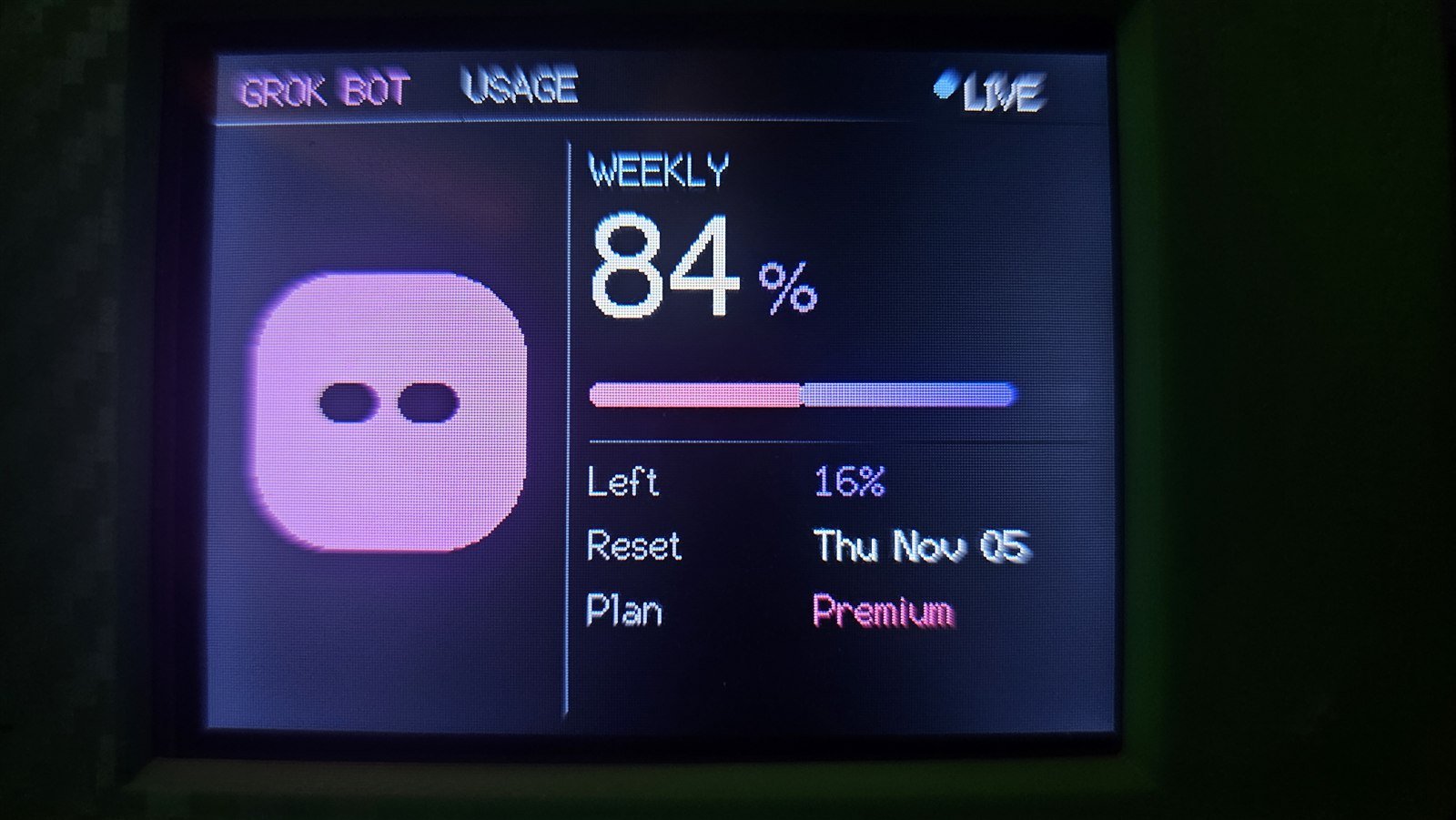
A Cheap Yellow Display that sits on your desk and shows live Grok Bot weekly usage with an animated face. Firmware, tray app, and printable case are free. Paste one prompt into Grok Build to install.
Overview
What this is
An ESP32-2432S028 (Cheap Yellow Display) running a landscape UI that reads your signed-in Grok Bot weekly usage over USB. No paid API key. No cloud account of mine. Your PC pushes live percent to the screen.
- Landscape UI with a pink / baby-blue / purple face that cycles every 15 seconds
- Big weekly usage percent, thin bar, remaining, reset date, and LIVE / STALE status
- Windows tray app that keeps the USB bridge alive and reads usage from Grok Bot on the same PC
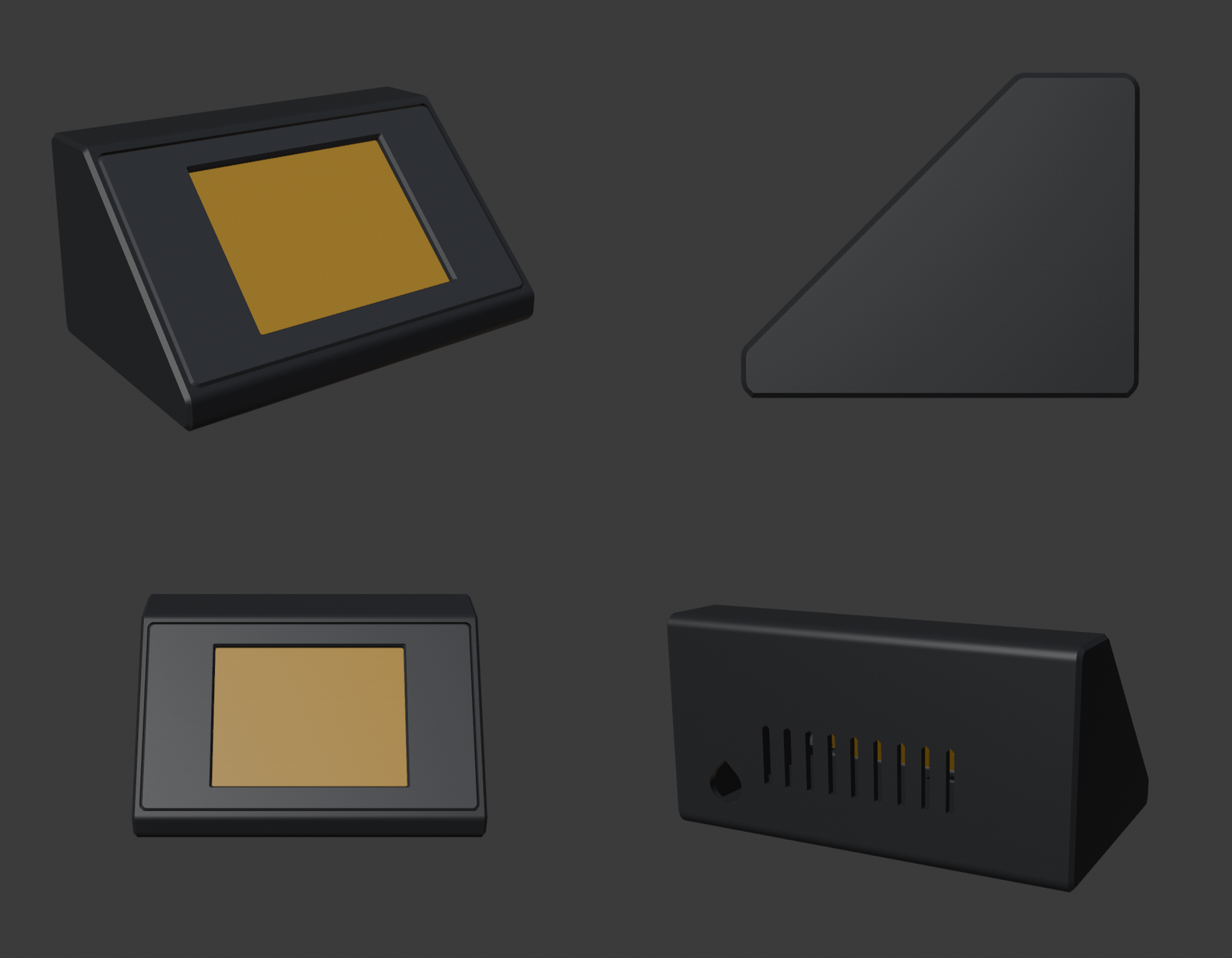
- Two-piece printable enclosure: front bezel + rear body
- Free to use. Firmware and tray tools are free. Print files are CC BY-SA 4.0
01
Install with Grok Build
Plug in the CYD. Copy the prompt. Paste it into Grok Build. It explains the plan, waits for your OK, then unpacks the pack to your Desktop.
- Plug the CYD into USB (CH340 serial).
- Have Grok Bot installed and signed in on this PC.
- Open Grok Build, paste the prompt below, and send it.
- Read the rundown, confirm, then let it unpack to
Desktop\CYD-Grok-Usage. - Hold BOOT if the flasher asks for it. Start the tray app when flash finishes.
Install the CirusThaVirus CYD Grok Usage Face pack on this Windows PC.

First, give me a short rundown (what it is, what you will download, where files go, and that flashing needs the BOOT button). Then ask me to confirm. After I confirm, do the work. Do not skip the rundown.

What this is:
- ESP32 Cheap Yellow Display (CYD / ESP32-2432S028) firmware that shows live Grok Bot weekly usage with an animated Grokbot face (pink / baby blue / purple).
- A Windows system-tray app that keeps the USB bridge running and reads live usage from the signed-in Grok Bot install on this PC.
- Printable enclosure STLs for a custom case (in prints/): no supports, 0.16 mm layer height, 5 top / 5 bottom layers, PLA or PLA+.

Download this exact zip (HTTPS):
https://cirusthavirus.com/downloads/free-tools/CYD-Grok-Usage.zip

Install steps after I confirm:
1. Download that zip.
2. Unpack it to the Desktop as a folder named CYD-Grok-Usage (replace that folder if it already exists).
3. Open the prints/ folder and tell me the STL filenames so I can drop them in my slicer.
4. Install Python deps from tools/requirements.txt if needed (pip install -r tools/requirements.txt).
5. If PlatformIO / pio is available, build and flash env cyd to the CYD. Prefer the CH340 COM port. If esptool says wrong boot mode, tell me to hold BOOT and retry.
6. Start the tray app with: pythonw tools/tray_app.py
7. Tell me to right-click the pink tray icon and turn on "Start with Windows" if I want it every boot.
8. Summarize what succeeded, the Desktop path, and any step that still needs me (BOOT hold, missing Grok Bot login, missing STLs).

Rules:
- Do not invent download URLs. Use only the zip above.
- Do not upload, commit, or share sand-secrets, tokens, or usage_cache.json.
- Keep my other files alone. Only create/replace Desktop\CYD-Grok-Usage from that zip.
- If the zip 404s, stop and tell me the site pack is not uploaded yet.
02
Print the case
Two STLs wrap the Cheap Yellow Display: a front bezel around the screen and a rear body for the board. Designed for a clean PLA print with no supports. Download them here; no extra hop to another shelf.
About the board
The CYD (ESP32-2432S028) is a 2.8-inch 320x240 TFT with an ESP32 and USB-SERIAL CH340. This case is sized for that board in landscape. The firmware talks over the same USB cable the tray app uses, so the display stays plugged into your PC while it shows usage.
Print the bezel and rear body, seat the board, and leave USB free at the edge. Settings below are what the parts were designed for.
Print settings
- Material: PLA or PLA+
- Layer height: 0.16 mm
- Top layers: 5
- Bottom layers: 5
- Supports: none
03
Prefer to do it yourself
Skip Grok Build and run the pack by hand. Same files, same result.
Downloads
Everything in one place
Firmware pack, print files, and the paste prompt. Grab what you need from this page.
Software pack
CYD-Grok-Usage.zip
Firmware sources, Windows tray bridge, requirements, and the STLs under prints/.
Front bezel
cyd_front_bezel.stl
Screen bezel for the ESP32-2432S028. No supports. PLA or PLA+ at 0.16 mm.
Download STLRear body
cyd_rear_body.stl
Back shell for the same board. Matches the bezel. Same print settings.
Download STL